
Beyond the page player
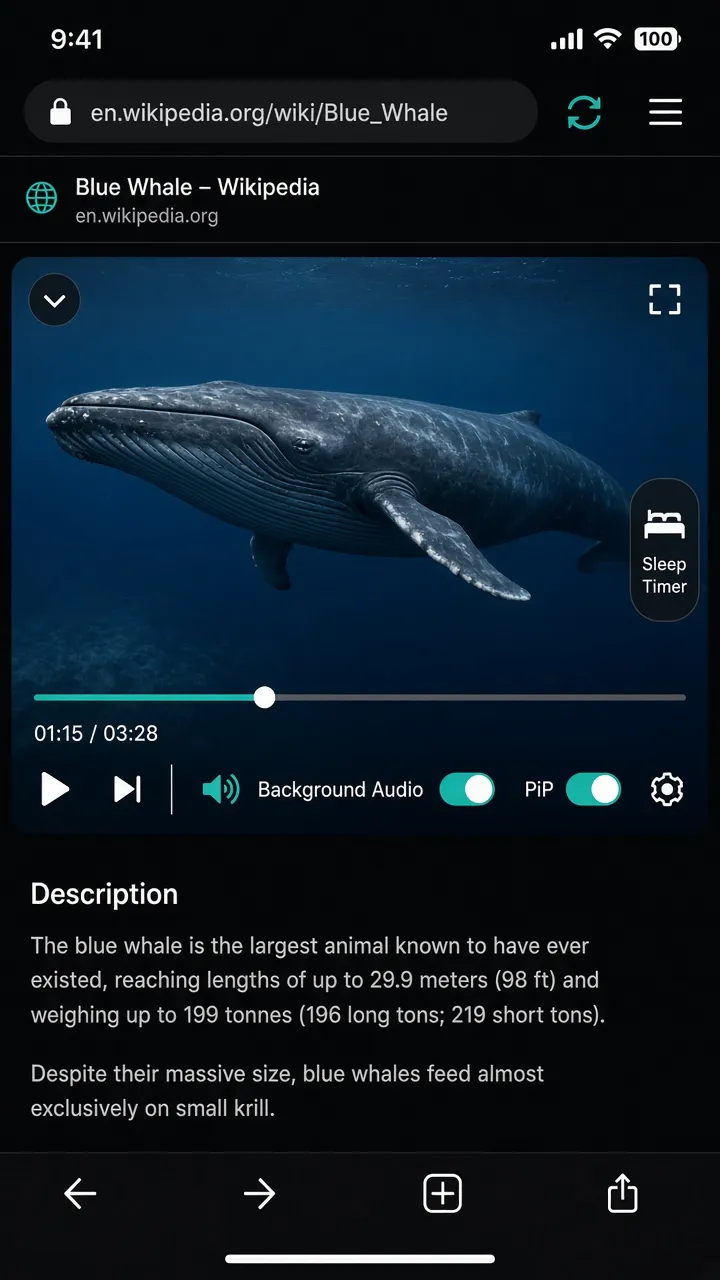
Expand supported streams into XBrowser’s built-in player: drag a floating window, scrub progress, change speed, skip ±10s, and go fullscreen with brightness and volume gestures.
Core capability · Media
Play supported web video in a native floating or fullscreen player. Keep listening with Background Audio and Picture in Picture after you lock the screen or switch apps.
Expand supported streams into XBrowser’s built-in player: drag a floating window, scrub progress, change speed, skip ±10s, and go fullscreen with brightness and volume gestures.
Enable Background Audio so supported video and audio can continue after you leave the App. Use system or custom Picture in Picture, or start PiP from the page menu when a stream is available.

Auto-pause after 10–60 minutes or a custom duration—ideal for bedtime listening with the same player.
Sleep Timer →Save videos per Space, then open them when you’re ready—queues stay isolated with your sandboxes.
Watch Later →Background play depends on the site and stream. Some pages may still pause when restricted by the publisher. XBrowser’s core product remains zero-trust Spaces.
Built-in player, Background Audio, and PiP—on top of isolated Spaces and an ad-free product chrome.
Download on the App Store