XBrowser

Separate logins. One browser.

Keep messaging, shop, and work identities isolated—cookies, history, bookmarks, and home included. Switch in one tap.

Built for how you actually juggle spaces

One browser, multiple identities. Each space keeps its own cookies and sessions—without pretending to hide your IP.

Multiple WhatsApp & IG logins

Run multiple web sessions for WhatsApp Web, Instagram, Telegram, and Facebook—each in its own space so cookies and logins don’t mix. Uses each site’s web version inside the browser; features may differ from the official apps.
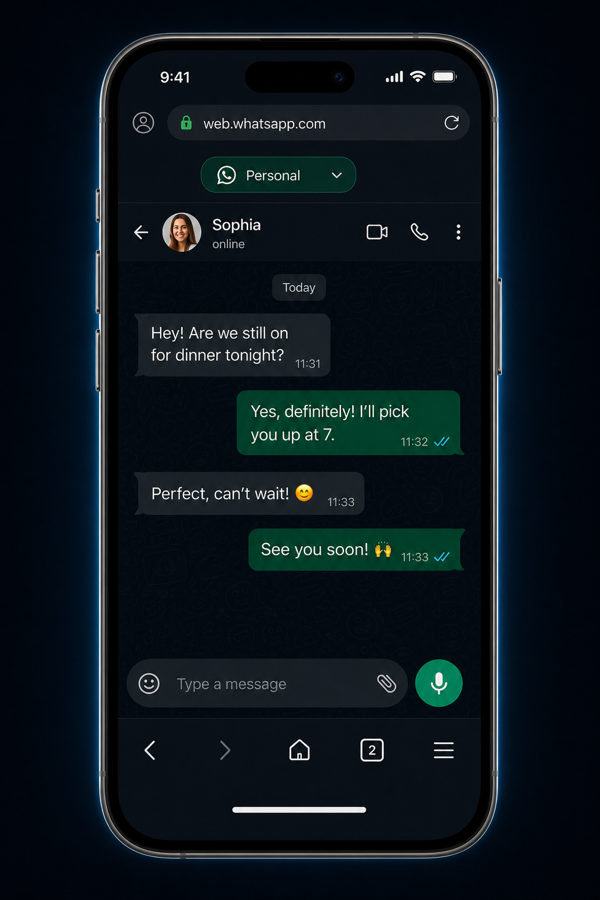
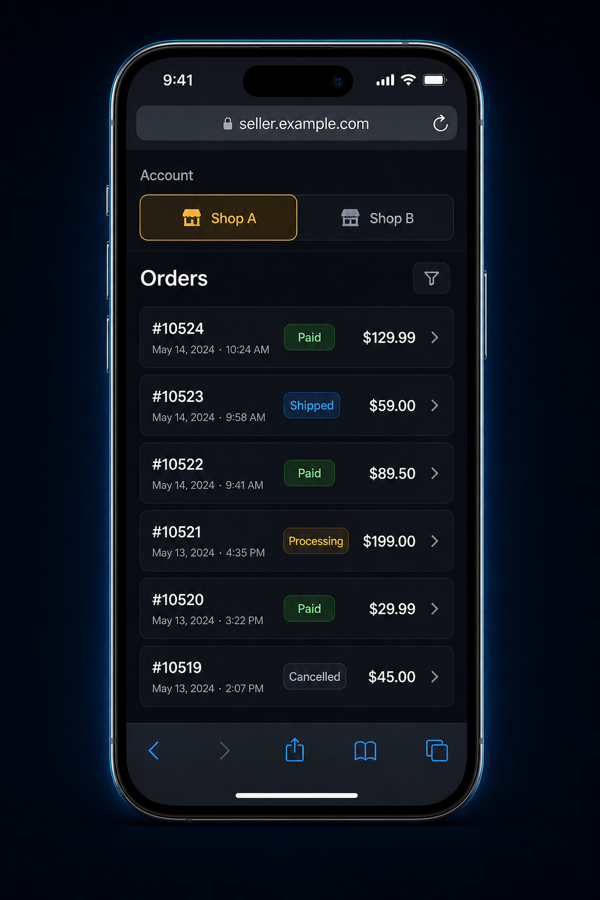
Illustration of separate messaging web sessions

Run multiple shops, cleanly

Manage different store or seller accounts in one browser. Each shop keeps its own cookies, history, and bookmarks.

Illustration of separate shop accounts

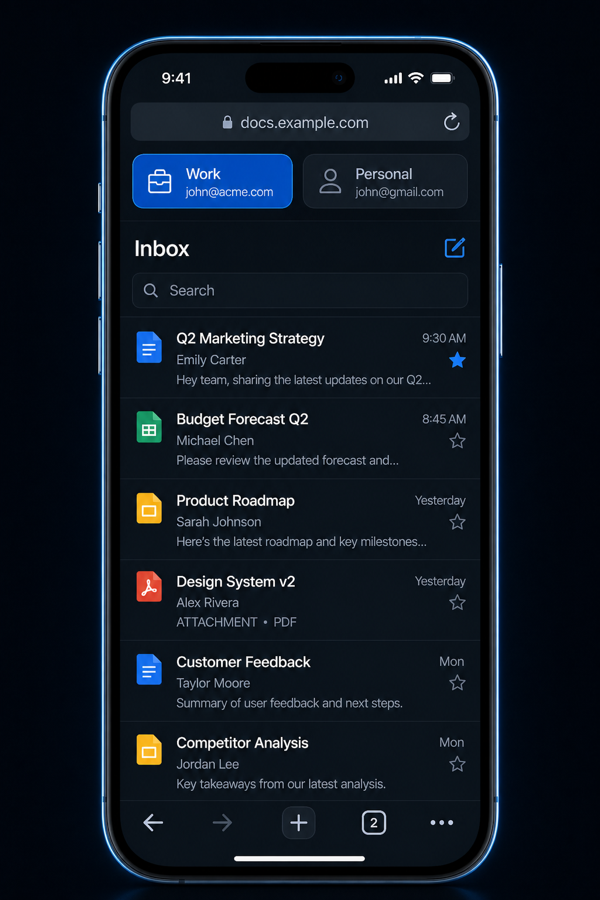
Work stays at work

Use a dedicated work identity for email and docs. One tap on the space chip switches you back—history and home stay separate too.

Illustration of work space switching

Isolation you can feel in one tap

Each space is a separate browsing identity on your device. You stay signed in where you need to—without mixing sessions.

  1. Create a space

    Add Messaging, Shop, Work, or a custom identity. Each gets its own cookies and site data.

  2. Browse in that space

    History, bookmarks, and home stay with the space you’re in—so work doesn’t bleed into personal.

  3. Switch with the chip

    Tap the space chip to jump identities. Sessions stay put until you delete the space.

Space separation does not change your network IP or make you anonymous online. XBrowser focuses on practical session isolation and local data control.

Ready when you are

XBrowser for iPhone—separate logins without juggling apps or profiles.