
In the app
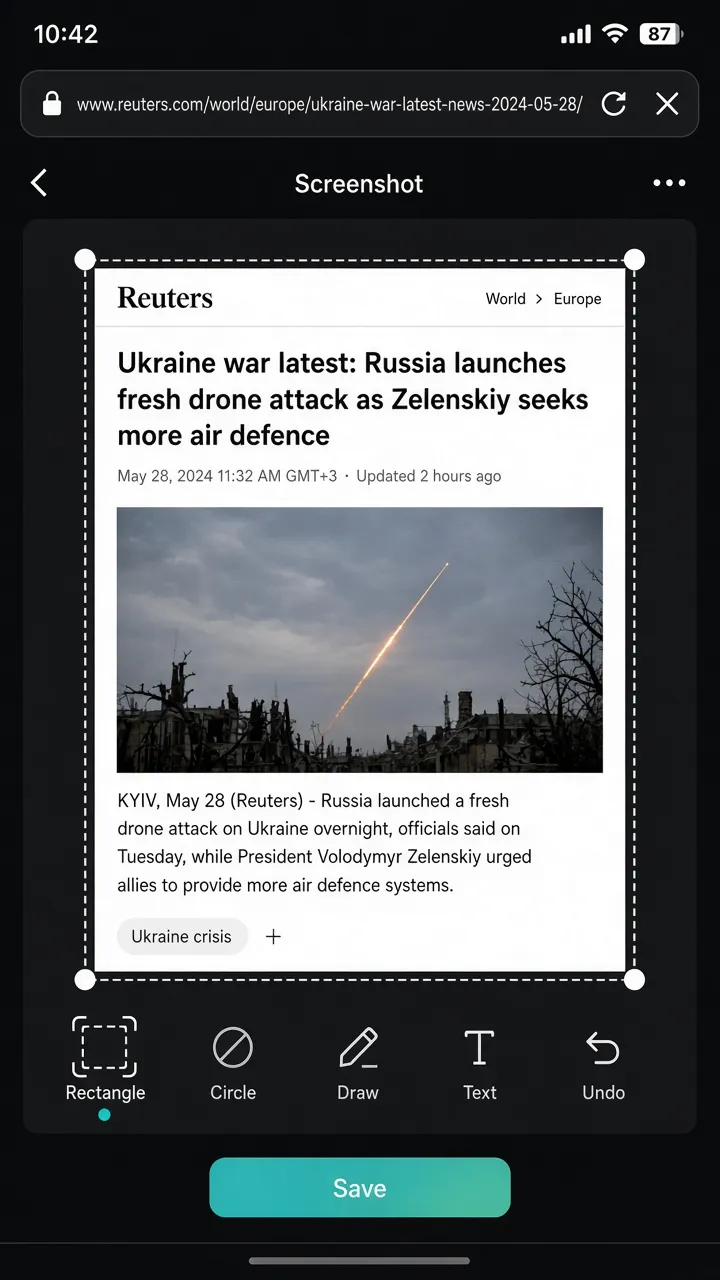
Capture what’s on screen, open the editor to crop or mark up, and save—ideal for receipts, chats, and bug reports.
Also in XBrowser · Capture
Capture what’s on screen, open the editor to crop or mark up, and save—ideal for receipts, chats, and bug reports.
Capture what’s on screen, open the editor to crop or mark up, and save—ideal for receipts, chats, and bug reports.
From the page menu, tap Screenshot to capture the visible page. The editor opens immediately so you can crop shapes, annotate, and save.
Each Space keeps its own browsing context—so screenshots you take while logged into Shop A don’t mix with Work sessions.
XBrowser’s core is zero-trust Spaces. Screenshot, editor, Watch Later, and Split View sit on top of that isolation.
Download on the App Store